The iPad is an excellent device for portability, offering a beautiful display, long battery life, and the convenience of working from anywhere. However, when it comes to tasks such as iOS app development, Xcode compilation, software testing, coding, or running professional macOS applications, the iPad’s limitations quickly become apparent.
Instead of investing in an expensive MacBook, you can access a dedicated Mac Mini remotely and enjoy a full macOS environment directly from your iPad. Your Mac Mini is securely hosted in our professional data center, where we take care of the hardware, power, internet connectivity, and maintenance.
With just an internet connection, you can turn your iPad into a powerful macOS workstation and access the performance and flexibility of a dedicated Mac whenever and wherever you need it.
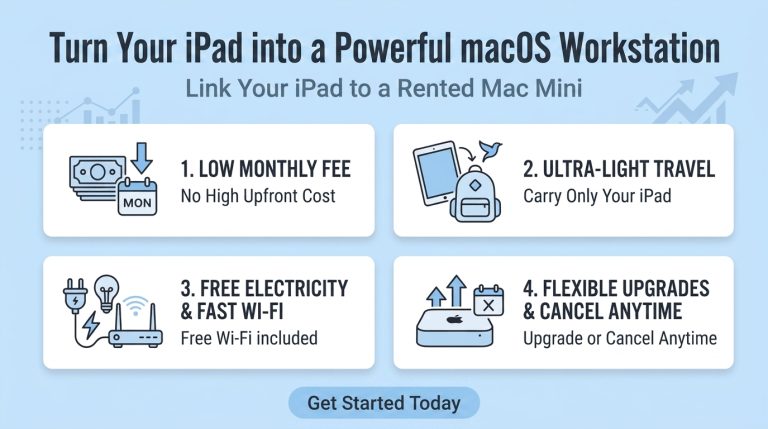
A Smart Solution: Link Your iPad to a Rented Mac Mini
Buying a dozen new desktops requires a massive upfront capital expenditure (CapEx) that instantly drains your liquid cash reserves. When you choose to rent a Mac Mini from us, that massive upfront cost disappears. It is replaced by a predictable, low monthly operational expense (OpEx). You get the exact hardware you need today while keeping your cash reserves free to reinvest in marketing, hiring, and scaling your core business.
🛠️ 3 Simple Steps to Set Up
We make everything ready for you. You do not need any tech skills. Just follow these three easy steps:
Step 1: Rent Our Mac Mini
Contact us to choose your Mac Mini. We set up the hardware and make sure it runs perfectly.
Step 2: Download DeskIn
Download the free DeskIn app on your iPad from the App Store.
Step 3: Connect Your Mac Mini
Open and enter the login credentials . Tap Connect and your iPad will instantly transform into a Mac desktop.
💡 Tips for the Best Experience Outside
To make your iPad feel exactly like a real laptop, use these two simple tools:
- Add a Keyboard: Use a slim Bluetooth keyboard to type fast and comfortably.
- Use a Mouse: Connect a wireless mouse to click small menus easily.
Get MacBook Power on Your iPad Today!
Stop letting tablet limitations slow down your work. By renting our Mac Mini, you can turn your iPad into a high-power workstation with a low price.